
Best Free VPN for Firestick in 2026
Proton VPN is the best free VPN for a Fire TV Stick, with hide.me close behind. If you need streaming access abroad, NordVPN is the best paid option.
Our reviews are independent. When you buy through links on this page we may earn a commission, which never changes our rankings. Read our disclosure.
The best free VPN for Firestick in 2026 is Proton VPN: it has an official Fire TV app, no data cap and no ads. hide.me is a good free alternative that needs no account. If you want to watch streaming catalogs from other countries, free plans will not do it reliably, and NordVPN is the best paid choice.
Short on time? Here is the best free Firestick VPN for most people:
Proton VPN (best free vpn for firestick): an official Fire TV app, no data cap, no ads and an audited no-logs policy.
Many free VPNs pay their bills by showing ads or selling browsing data, which defeats the point of using one. Every free pick below has a clear business model: a paid plan you can upgrade to if you need more. Prices were checked in November 2026.
Quick summary of the best free VPNs for Firestick in 2026
Proton VPN
1. Proton VPN: Best free VPN for Firestick
No data cap, no ads and an official Fire TV app make it the safest free option.

2. hide.me: Best free VPN with no sign-up
Free plan you can use without an account, plus a Fire TV app.

3. NordVPN: Best paid VPN for Firestick
Fast NordLynx speeds, a polished Fire TV app and reliable streaming access.

4. ExpressVPN: Easiest VPN to use on Fire TV
One-click connect on Fire TV with dependable streaming and Lightway speed.

5. IPVanish: Best for Kodi on Firestick
Fire TV app built for the remote, unlimited devices and popular with Kodi users.
See numbers 6 to 7 of the best free VPNs for Firestick

6. PureVPN: Best for port forwarding and extras
Fire TV app, audited no-logs policy and optional port forwarding.

7. Ivacy VPN: Best budget VPN for Firestick
Cheap long-term plans with a Fire TV app and P2P-friendly servers.
Best free VPNs for Firestick compared
How the 7 picks compare on the details that matter most.
| Product | Free plan | Paid plans | Fire TV app | Money-back guarantee |
|---|---|---|---|---|
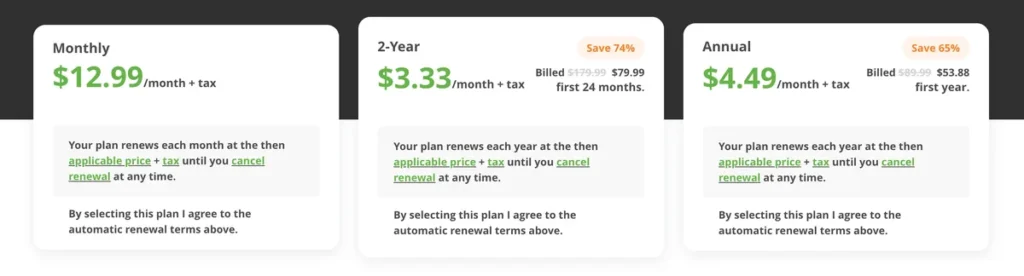
| Proton VPN | Yes, no data cap | From about $4.49/mo (2-year) | Yes, in the Amazon Appstore | 30 days on paid plans |
| hide.me | Yes, no account needed | Low monthly cost on long terms | Yes | 30 days |
| NordVPN | No, 30-day money-back guarantee | From about $3.49/mo (2-year Basic) | Yes | 30 days |
| ExpressVPN | No, 30-day money-back guarantee | From about $3.49/mo (2-year Basic) | Yes | 30 days |
| IPVanish | No | From about $2.49/mo (2-year) | Yes | 30 days on yearly plans |
| PureVPN | No | From about $2.15/mo (long plan) | Yes | 31 days |
| Ivacy VPN | No | From about $2.14/mo (2-year) | Yes | 30 days |
1. Proton VPN: Best free VPN for Firestick
Proton VPN
| Best for | Free streaming-safe browsing |
| Free plan | Yes, no data cap |
| Paid plans | From about $4.49/mo (2-year) |
| Fire TV app | Yes, in the Amazon Appstore |
| Money-back guarantee | 30 days on paid plans |
protonvpn.com
Proton VPN is the free VPN we recommend first for a Fire TV Stick. It has an official app in the Amazon Appstore, the free plan has no data cap and no ads, and it is run by the Swiss company behind Proton Mail.
The free plan connects you to a small set of countries chosen automatically and does not unlock streaming libraries. It is ideal for keeping your viewing private on a hotel or shared network; for watching other countries’ catalogs you need a paid plan.
Proton VPN key features
- Unlimited data on the free plan.
- Official Fire TV and Android TV app.
- Audited no-logs policy and open-source apps.
- Stealth protocol for networks that block VPNs.
Pros
- Truly free with no data limit
- Strong privacy record
- Simple TV-friendly app
Cons
- Free plan does not unblock streaming catalogs
- Server location is picked for you on Free
Our verdict: The best way to add a VPN to a Firestick without paying. Upgrade only if you need streaming access abroad.
2. hide.me: Best free VPN with no sign-up
| Best for | Anonymous free use |
| Free plan | Yes, no account needed |
| Paid plans | Low monthly cost on long terms |
| Fire TV app | Yes |
| Money-back guarantee | 30 days |
hide.me
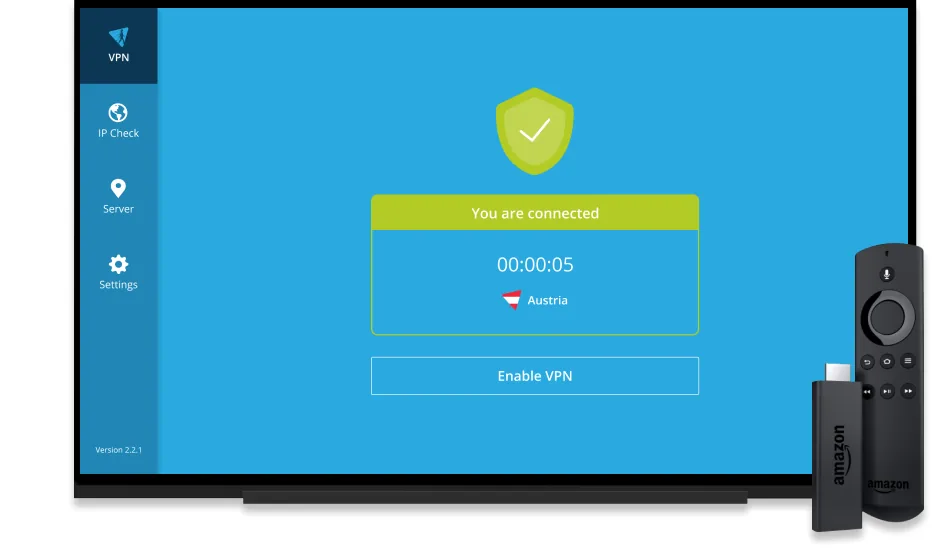
hide.me was our top free pick in the previous version of this guide and it is still a strong option. You can use the free plan without creating an account, which keeps your identity out of the picture, and it has a Fire TV app.
Recent reviews report that the old 10 GB monthly cap on the free plan has been lifted, but check the current limits before you rely on it for long streaming sessions.
hide.me key features
- No sign-up free plan.
- Audited no-logs policy.
- Split tunneling on supported apps.
- Fire TV and Android TV apps.
Pros
- No account needed
- Good speeds for HD video
- Privacy-friendly
Cons
- Fewer free locations than paid
- Free plan does not cover every streaming service
Our verdict: A good free alternative to Proton VPN if you want maximum anonymity.
3. NordVPN: Best paid VPN for Firestick
| Best for | Streaming and speed |
| Free plan | No, 30-day money-back guarantee |
| Paid plans | From about $3.49/mo (2-year Basic) |
| Fire TV app | Yes |
| Money-back guarantee | 30 days |
nordvpn.com
NordVPN was our hand-picked choice for Firestick and it still is the best paid option. The Fire TV app is easy to use with a remote, NordLynx keeps 4K streams smooth, and it reliably works with major streaming platforms.
There is no free plan, but the 30-day money-back guarantee lets you try it on your Fire TV at no risk.
NordVPN key features
- NordLynx protocol for fast 4K streaming.
- Threat Protection blocks ads and malicious sites.
- 10 devices per account.
- Remote-friendly Fire TV app.
Pros
- Very fast and stable for streaming
- Works with major streaming services
- Strong security extras
Cons
- No free plan
- Renewal price is much higher than the first term
Our verdict: If you stream a lot, NordVPN is worth the small monthly cost.
4. ExpressVPN: Easiest VPN to use on Fire TV
| Best for | Ease of use |
| Free plan | No, 30-day money-back guarantee |
| Paid plans | From about $3.49/mo (2-year Basic) |
| Fire TV app | Yes |
| Money-back guarantee | 30 days |
www.expressvpn.com
ExpressVPN’s Fire TV app is the simplest to set up: install, sign in, press connect. Its Lightway protocol is fast and it is consistently reliable with streaming services.
It costs a little more than NordVPN on short plans, but the experience on a TV is very polished.
ExpressVPN key features
- Lightway protocol.
- One-tap connect with the Fire TV remote.
- MediaStreamer DNS for devices without VPN apps.
- RAM-only servers.
Pros
- Simplest Fire TV setup
- Reliable streaming
- Audited security
Cons
- No free plan
- Higher month-to-month price
Our verdict: Choose ExpressVPN if you want the least fiddly experience on your TV.
5. IPVanish: Best for Kodi on Firestick
| Best for | Kodi and unlimited devices |
| Free plan | No |
| Paid plans | From about $2.49/mo (2-year) |
| Fire TV app | Yes |
| Money-back guarantee | 30 days on yearly plans |
www.ipvanish.com
IPVanish has long been popular with Firestick and Kodi users. Its Fire TV app is designed for the remote, it allows unlimited devices, and P2P is allowed on every server.
Use Kodi only with content you are allowed to watch; a VPN protects your privacy, it does not make unlicensed streams legal.
IPVanish key features
- Unlimited devices.
- TV-optimized app.
- Kill switch on Fire TV.
- P2P on all servers.
Pros
- Built for Fire TV and Kodi
- Unlimited devices
- Good value
Cons
- No free plan
- Refund only on yearly and longer plans
Our verdict: A strong low-cost pick for households with lots of devices.
6. PureVPN: Best for port forwarding and extras
| Best for | Features on a budget |
| Free plan | No |
| Paid plans | From about $2.15/mo (long plan) |
| Fire TV app | Yes |
| Money-back guarantee | 31 days |
www.purevpn.com
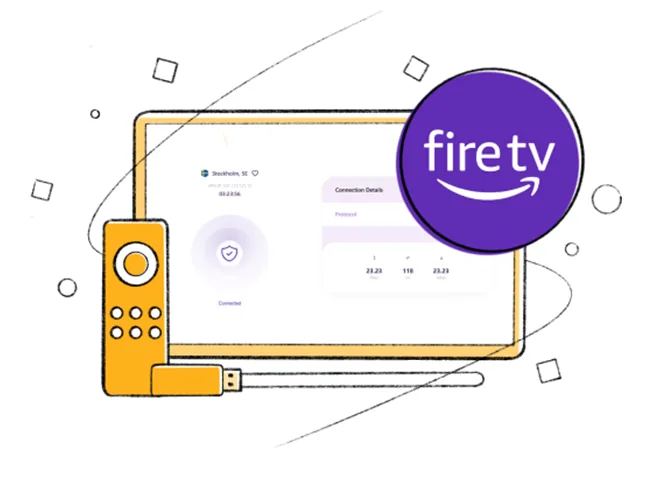
PureVPN offers a Fire TV app and an audited no-logs policy at a low price. Its optional add-ons, such as port forwarding and a dedicated IP, suit people who want more control.
Speeds vary more by server than with NordVPN or ExpressVPN, so pick a nearby server for the best streaming quality.
PureVPN key features
- Fire TV app.
- Port forwarding and dedicated IP add-ons.
- KPMG-audited no-logs policy.
- 31-day refund window.
Pros
- Low price
- Lots of optional features
- Generous refund window
Cons
- No free plan
- Speed varies by server
Our verdict: Good if you want features such as a dedicated IP for streaming.
7. Ivacy VPN: Best budget VPN for Firestick
| Best for | Lowest price |
| Free plan | No |
| Paid plans | From about $2.14/mo (2-year) |
| Fire TV app | Yes |
| Money-back guarantee | 30 days |
www.ivacy.com
Ivacy VPN is one of the cheapest ways to get a dependable Fire TV VPN. It covers the essentials, including a kill switch and split tunneling, and its long-term plans cost very little per month.
It is not as fast as the leaders over long distances, but nearby servers handle HD streaming well.
Ivacy VPN key features
- Fire TV app.
- Split tunneling.
- 10 devices per account.
- P2P-optimized servers.
Pros
- Very low cost
- Covers the essentials
- Easy to use
Cons
- Slower on distant servers
- Dated interface
Our verdict: A sensible budget pick when price matters most.
How to install a VPN on a Firestick
- On the Fire TV home screen, open Find and then Search.
- Type the VPN’s name, for example Proton VPN, and select its app.
- Choose Get or Download and wait for it to install.
- Open the app, sign in or create an account, and press Connect.
- Open your streaming app. The VPN keeps running in the background.
If a VPN does not appear in your Appstore region, it may not support Fire TV directly. In that case, choose one from this list that does.
Is a free VPN for Firestick safe?
A free VPN is safe when the company is transparent about how it makes money and has an audited no-logs policy. Proton VPN and hide.me both meet that bar. Avoid unknown free VPNs that show heavy ads or ask for unnecessary permissions; they often collect and sell data.
Also remember that a VPN protects your privacy but does not make unlicensed streams legal. Stick to services you subscribe to. For more choices, see our full list of the best VPN services.
Frequently asked questions
Is there a completely free VPN for Firestick?
Yes. Proton VPN has a free plan with no data limit and an official Fire TV app. hide.me also offers a free plan. Free plans limit server choice and usually do not unlock other countries’ streaming catalogs.
Can I use a free VPN to watch Netflix on Firestick?
Not reliably. Streaming services block most free VPN servers. A paid VPN such as NordVPN or ExpressVPN, used with your own subscription, works far more consistently.
Will a VPN slow down my Firestick?
Slightly. With a modern protocol and a nearby server, most people can still stream in HD or 4K. Choose a server close to you for the best speed.
Do I need a VPN for Kodi?
A VPN is not required, but it keeps your activity private from your internet provider. Only stream content you have the rights to watch.
Final thoughts
For a free Firestick VPN, start with Proton VPN: no data cap, no ads and an official Fire TV app. Try hide.me if you prefer no account at all. When you want reliable streaming from other countries, NordVPN is the best paid upgrade, with ExpressVPN as the easiest to use.